
Download SimpleOne Home Inventory Manager – Free, Secure Home & Business Stock Tracker
Overview
SimpleOne Home Inventory Manager is a purpose‑built application that helps homeowners, renters, and small‑business operators keep an accurate, up‑to‑date record of everything they own. Whether you’re cataloguing furniture, electronics, seasonal décor, or office supplies, SimpleOne offers a clean, intuitive interface that eliminates the headache of manual spreadsheets. The app supports barcode scanning, photo attachment, custom tags, and automatic depreciation calculations, giving you a complete picture of asset value over time. Security is baked in – all data is stored locally on your device with optional encrypted cloud backup, ensuring that sensitive information never lands on an unsecured server. Frequent updates bring new templates for insurance claims, tax reporting, and moving checklists, making SimpleOne a versatile tool for any inventory‑related task. Because it runs on Windows, macOS, Android, and iOS, you can start an inventory on a desktop, continue on a tablet, and finalize on a smartphone without missing a beat. In short, SimpleOne Home Inventory Manager is the all‑in‑one solution for anyone who wants a reliable, user‑friendly way to track personal or business stock without paying a subscription fee.
Key Features & Installation Guide
Feature Highlights
- Barcode & QR code scanning for quick item entry.
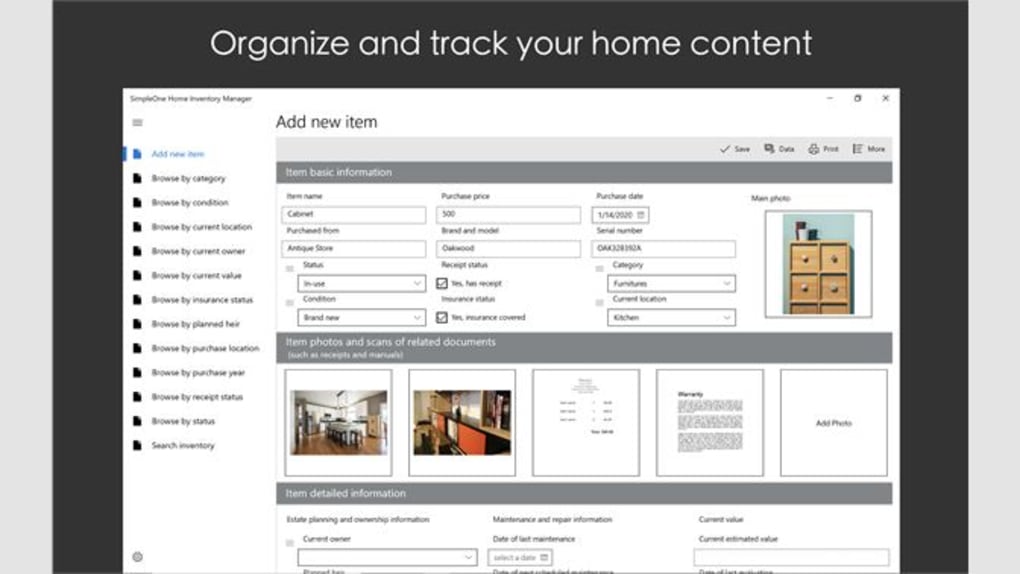
- High‑resolution photo attachment and thumbnail preview.
- Customizable categories, tags, and location fields.
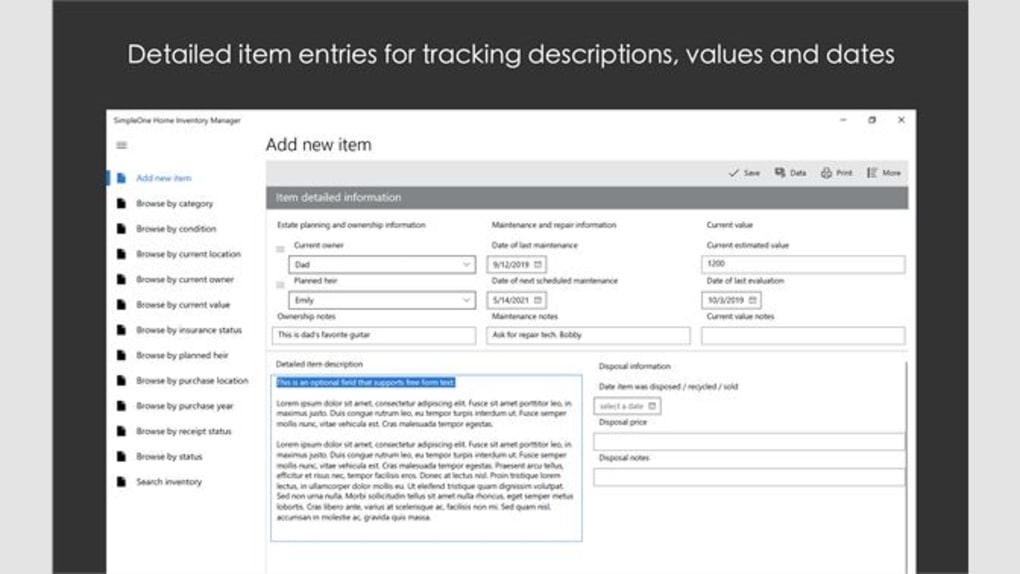
- Automatic depreciation and resale value calculator.
- Built‑in insurance and warranty tracker.
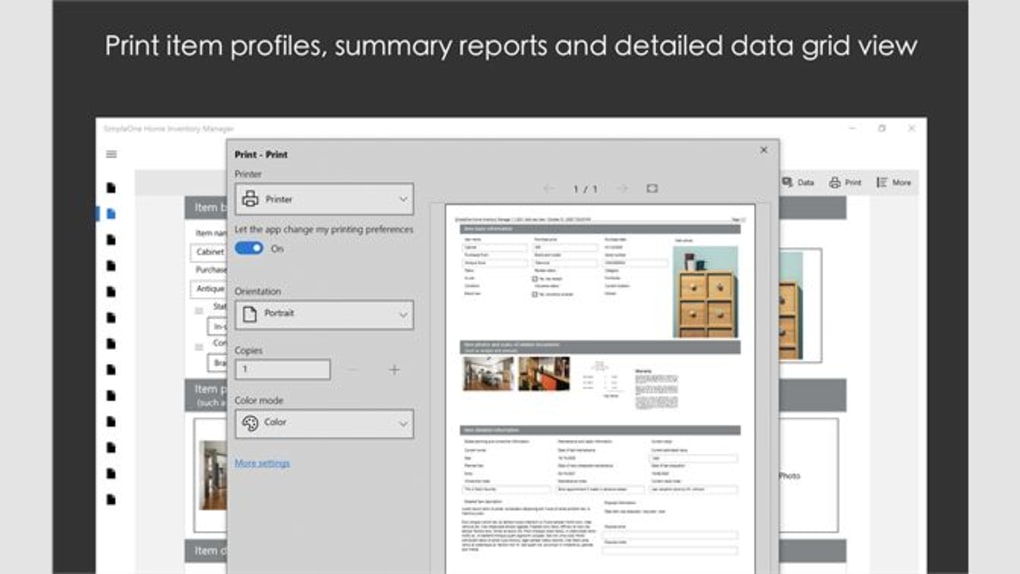
- Export options: CSV, PDF, and printable inventory reports.
- Secure local storage with optional encrypted cloud sync.
- Multi‑device synchronization across Windows, macOS, Android, and iOS.
- Step‑by‑step moving checklist and donation manager.
- Regular free updates that add new templates and bug fixes.
Installation & First‑Time Use
Getting SimpleOne up and running is straightforward. On Windows or macOS, visit the official website and click the “Download for Windows” or “Download for macOS” button. The installer is signed by the developer, so you’ll see a standard security prompt confirming that the file is safe. Follow the on‑screen wizard: accept the license agreement, choose an installation folder (the default works for most users), and click “Install.” After the process completes, launch SimpleOne from the desktop shortcut or start menu.
Mobile users can find SimpleOne in the Google Play Store or Apple App Store by searching “SimpleOne Home Inventory.” Tap “Install,” wait for the download, and open the app once it appears on your home screen. The first launch triggers a brief onboarding tour that walks you through creating your first inventory category, adding an item with a photo, and setting up cloud backup if desired. The tour can be replayed later via the Settings → Help menu.
For a smooth start, we recommend importing any existing spreadsheets using the “Import CSV” feature located under the “File” menu. SimpleOne will automatically map columns to its internal fields, allowing you to preserve prior work without manual re‑entry. After import, run the built‑in audit tool to spot duplicate entries or missing photos, then you’re ready to use the app daily for tracking purchases, disposals, and valuations.
Compatibility, Pros & Cons
SimpleOne Home Inventory Manager runs natively on Windows 10/11, macOS 10.15 or later, Android 8.0 and up, as well as iOS 13 or newer. The cross‑platform design ensures that data structures remain identical regardless of the device, and the optional cloud sync works with Google Drive, iCloud, and OneDrive.
Pros
- Free core functionality with no hidden subscription fees.
- Intuitive UI that requires virtually no training.
- Robust barcode scanning saves time on large inventories.
- Secure local storage plus optional encrypted cloud backup.
- Exportable reports ready for insurance or tax purposes.
Cons
- Advanced depreciation formulas are limited to linear methods.
- No built‑in AI image recognition for automatic item tagging.
- Cloud sync requires a third‑party account; no proprietary server.
- Desktop version lacks a dark‑mode theme.
- Bulk editing of items can be cumbersome on mobile devices.
Overall, SimpleOne Home Inventory Manager delivers a compelling blend of simplicity and power, making it an excellent choice for anyone needing to keep track of personal belongings or small‑business stock without paying for premium features.
FAQ & Conclusion
Is SimpleOne Home Inventory Manager really free?
Yes. The core application is free on all supported platforms. Optional premium templates and dedicated cloud storage are available for a one‑time purchase, but they are not required for full inventory management.Can I import an existing spreadsheet?
Absolutely. SimpleOne supports CSV import. Just select File → Import CSV, map the columns to the appropriate fields, and the app will create items automatically.How secure is my data?
All data is stored locally in an encrypted database. If you enable cloud sync, the backup is encrypted end‑to‑end using AES‑256, and the encryption key never leaves your device.Does the app work offline?
Yes. SimpleOne is fully functional without an internet connection. Cloud sync only activates when you connect to Wi‑Fi or cellular data.Can I track depreciation for tax purposes?
The built‑in depreciation calculator uses a straight‑line method, which is sufficient for many small‑business tax scenarios. For more complex methods, you may need to export the data and use a dedicated accounting program.Final Thoughts & Call to Action
SimpleOne Home Inventory Manager strikes the right balance between ease of use and feature depth. It empowers homeowners to protect their valuables with accurate records, while small business owners gain a low‑cost solution for stock control and asset management. Because the app is free, secure, and regularly updated, there’s little reason to look elsewhere for a basic inventory solution. Ready to get organized? Download SimpleOne Home Inventory Manager today and start building a complete, searchable inventory of everything you own—without spending a dime.







